SpO2 Calibration: How Pulse Oximeter Accuracy Is Checked
Oxygen saturation is one of the most watched numbers in any hospital. It guides oxygen therapy, ventilation and escalation decisions. SpO2 calibration — more precisely, performance verification of pulse oximeters and SpO2 channels — confirms that the saturation and pulse rate shown are accurate across the range clinicians rely on.
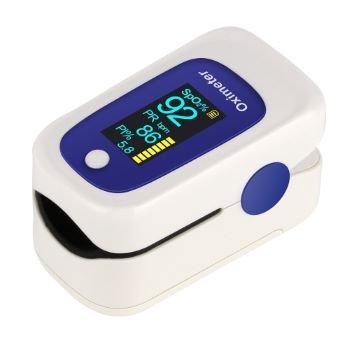
Table of contents
- How pulse oximetry works
- How SpO2 is tested
- The role of sensors
- How often to check
- Practical tips
- Factors that affect readings in real use
- A worked example: checking a fingertip oximeter fleet
- Common problems found during SpO2 checks
- Keeping good records
- Preparing for SpO2 checks
- Between checks
- Choosing the right provider for SpO2 checks
- Frequently asked questions
How pulse oximetry works
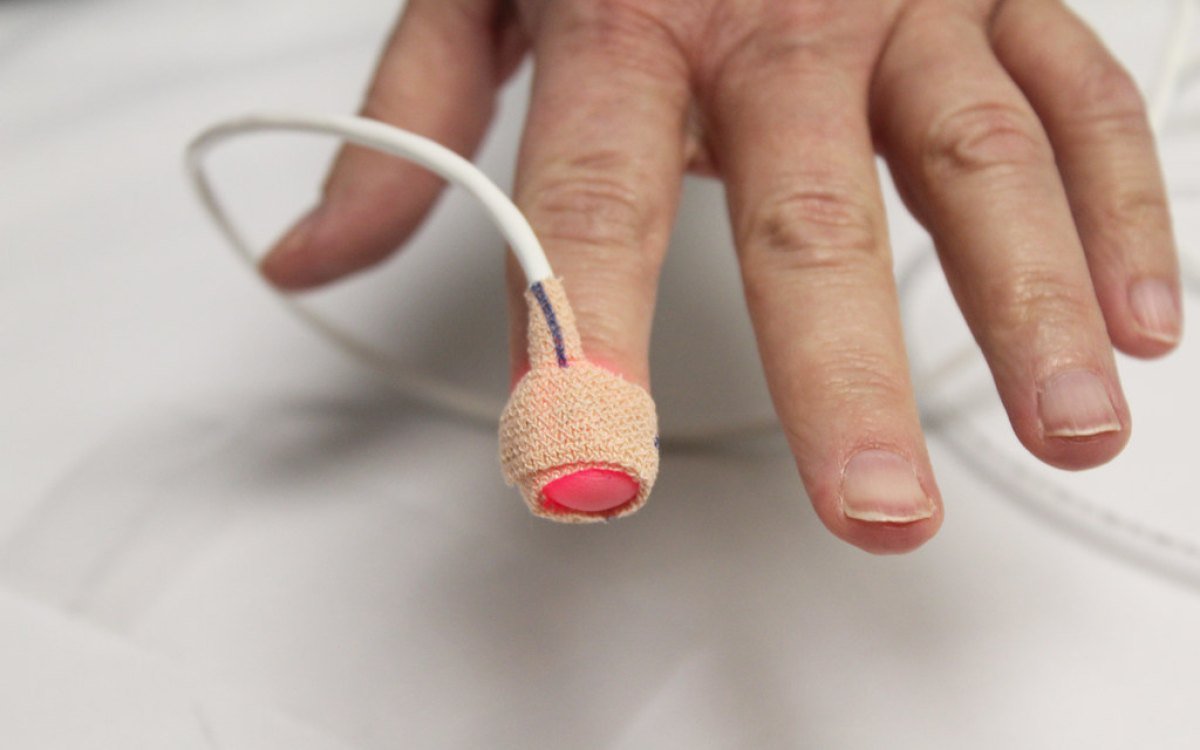
A pulse oximeter shines red and infrared light through tissue, usually a fingertip, and measures how much of each is absorbed as blood pulses. Oxygenated and deoxygenated haemoglobin absorb light differently, and the device converts the ratio into a saturation value using a calibration curve stored by the manufacturer.
That curve is fixed in the device, so field testing does not “re-calibrate” it. Instead, testing verifies that the device’s electronics and processing produce the correct output for a known input, and that alarms work.
How SpO2 is tested
An SpO2 simulator replaces the patient’s finger. It presents known optical signals that represent specific saturation and pulse rate values. The engineer checks:
- Saturation readings at several levels, including low values
- Pulse rate accuracy
- Performance with weak signals (low perfusion)
- Low-saturation and pulse alarms
- Display and trend functions where relevant
Results are compared with the manufacturer’s tolerance and recorded on a certificate with measurement uncertainty.
The role of sensors
Sensors and extension cables are the most common source of SpO2 problems. Cracked housings, damaged emitters and worn cables cause erratic or low readings that look like a device fault. Every test should include a sensor inspection, and damaged sensors should be replaced. Using sensors compatible with the monitor’s technology is also important.
How often to check
Standalone pulse oximeters and monitor SpO2 channels are usually verified at least once a year and after repair. High-use areas may need more frequent checks, and sensors should be inspected by users regularly. For a full view of bedside monitor testing, see multiparameter monitor calibration.
Practical tips
- Include handheld and fingertip oximeters in your equipment register.
- Replace sensors that give intermittent readings instead of re-testing the monitor repeatedly.
- Train staff on factors that affect readings, such as poor perfusion, movement and nail polish.
- Record sensor condition alongside device results.
Factors that affect readings in real use
A pulse oximeter can pass calibration and still give misleading readings at the bedside. Understanding why helps staff interpret values correctly and avoid blaming the device unnecessarily.
- Poor perfusion. Cold hands, low blood pressure or vasoconstriction weaken the pulse signal and can make readings unstable or unavailable.
- Movement. Shivering, restlessness or transport can create artefacts that look like changes in saturation or pulse rate.
- Nail polish and artificial nails. Some colours and materials interfere with light transmission.
- Ambient light. Strong light falling on the sensor can affect readings; shielding the sensor helps.
- Sensor placement. A sensor that is too loose, too tight or on the wrong site gives poor signals.
- Skin pigmentation and other patient factors can affect accuracy for some devices; follow the manufacturer’s guidance and clinical protocols.
Training staff on these points is as important as calibration itself, because it helps them tell the difference between a device problem and a measurement problem.
A worked example: checking a fingertip oximeter fleet
Many hospitals now use dozens of handheld and fingertip oximeters in wards, outpatient clinics and emergency triage. These are often bought in batches and may never have been registered. A practical approach is to collect them all, give each an asset number, and check them against an SpO2 simulator at a few saturation levels and pulse rates. Units that read outside the manufacturer’s tolerance, show damaged housings or weak batteries are removed. Those that pass are labelled with the due date and returned. This simple exercise often finds devices that nobody knew were unreliable.
Common problems found during SpO2 checks
- Cracked or damaged reusable sensors with exposed wiring.
- Incompatible sensors used with a monitor they were not designed for.
- Worn extension cables that cause intermittent signals.
- Alarm limits changed or alarms silenced.
- Fingertip devices with weak batteries or cracked displays.
Keeping good records
Record each oximeter or SpO2 channel with its asset number, the simulator values tested, the readings obtained and the sensor used. Note sensor replacements separately so you can see how quickly sensors wear out in each area. This information helps purchasing teams choose sensors that last and plan how many spares each ward needs.
Preparing for SpO2 checks
Start by building a complete list of devices that measure oxygen saturation: bedside monitors, transport monitors, standalone pulse oximeters, handheld and fingertip units, and any SpO2 channels on anaesthesia workstations or defibrillators. Ask each area to send devices with their usual sensors and extension cables, because the sensor is part of what is being checked. Replace obviously damaged sensors before the visit and make sure batteries are charged.
Agree a sequence with the provider so critical areas keep enough working devices. After the checks, update the register, label each device and share a list of any failed units with the relevant wards so they are not used until repaired.
Between checks
Encourage staff to inspect sensors daily, clean them as the manufacturer recommends and store them without tight coiling of cables, which causes internal breaks. Keeping a small stock of spare sensors on every ward reduces the temptation to keep using a damaged one.
Choosing the right provider for SpO2 checks
Ask your calibration provider which SpO2 simulator they use, whether it supports the oximetry technology in your monitors and whether it is itself calibrated with traceability. Confirm that the certificate will show the saturation and pulse values tested, the readings obtained and measurement uncertainty. For NABL-accredited results, check that the parameter is included in the laboratory’s scope of accreditation.
Frequently asked questions
Can a pulse oximeter be re-calibrated?
The saturation calibration curve is set by the manufacturer. Field testing verifies performance against a simulator; devices outside tolerance are repaired or replaced.
Does a simulator test the sensor too?
Some simulators test through the sensor, others connect electronically. In both cases the sensor should also be inspected physically.
Are fingertip oximeters included?
Yes. Handheld and fingertip oximeters used for clinical decisions should be registered and checked.
Can SpO2 be tested on-site?
Yes. SpO2 simulators are portable, so testing is done on the ward or in the biomedical department.
Does the SpO2 simulator replace clinical accuracy studies?
No. Manufacturers establish clinical accuracy through controlled studies. Field testing with a simulator verifies that an individual device is functioning as designed.
How often should reusable SpO2 sensors be replaced?
There is no fixed rule. Replace sensors when inspection shows damage or when readings become unreliable, and track replacement rates by area.
Conclusion
SpO2 verification protects one of the most important numbers in patient care. With a traceable simulator, regular sensor checks and a clear schedule, hospitals can trust the saturation values they act on.
External reference: NABL India.
Need SpO2 devices checked? See our medical equipment calibration service or contact our team.